MCP Is the USB-C of AI:
Why Every Builder Needs to Learn It Now
 Adam Neon
There’s a feeling you get when you’ve built the same thing for the third time. You’re staring at your screen, writing yet another integration between an AI agent and some tool, and you think: I’ve done this before. Twice. Why am I doing it again?
That feeling is what MCP exists to fix.
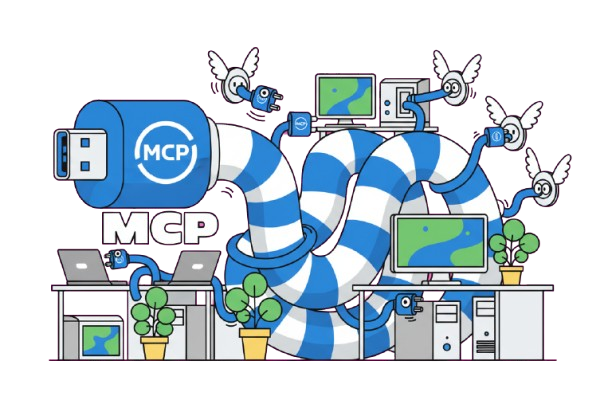
MCP stands for Model Context Protocol. Anthropic open-sourced it in November 2024. The pitch is simple: a standard way for AI agents to connect to external tools and data. One integration. Any agent. Any platform.
Before MCP, if your agent needed to read emails, you wrote custom code. Search documents? More custom code. Browse the web? A third integration. Every tool was a one-off. Every agent framework had its own plugin system. Switch from one to another, and you rewrote everything.
I’ve been in rooms where teams spent 40% of their AI project budget just on integrations. Not on the AI. Not on the product. On the plumbing. MCP makes that problem go away.
How It Actually Works (Without the Jargon)
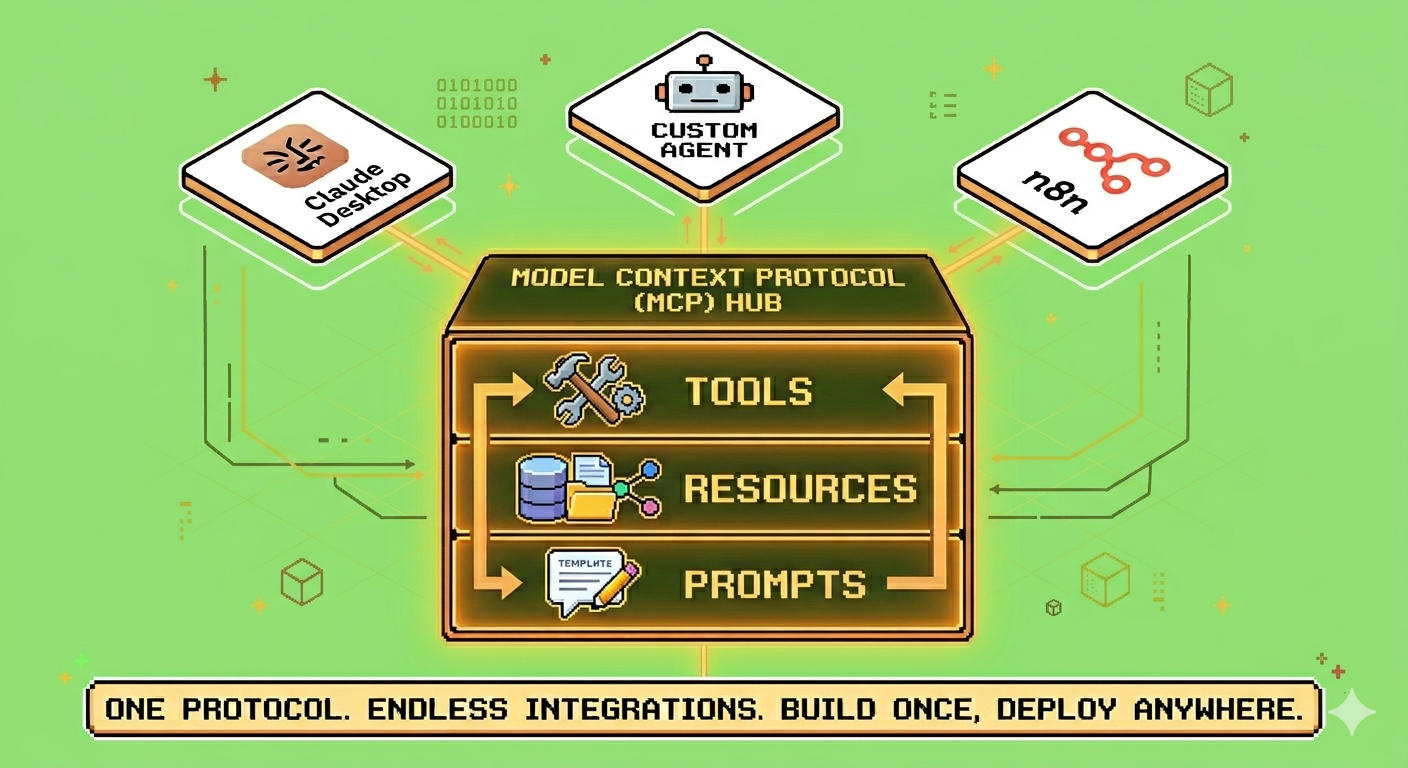
An MCP server exposes three things:
Tools. Functions the AI can call. Search email. Fetch a file. Query a database. Send a Slack message. The agent decides which tool to use and when.
Resources. Data the AI can read. Documents. Records. API responses. The agent pulls what it needs.
Prompts. Templated interactions. “Summarise this meeting transcript.” “Draft a response to this customer complaint.” Pre-built patterns the agent can use.
You build the server once. Any MCP-compatible client can connect and use everything it exposes. Claude Desktop. A custom agent built with Pickaxe. A no-code workflow in n8n. Same server. Same tools. Three completely different clients.
I watched a demo recently where someone did exactly that. Connected the same MCP server to three different platforms in under five minutes. The room got quiet. That’s the moment you know something is going to stick.
Why It’s Blowing Up Right Now
Hyperbrowser launched an MCP server on Hacker News this week. 63 points. Front page. The interesting thing isn’t the browser tool. It’s that “MCP server” is now a product category. Companies are building tools specifically to be exposed through MCP. Not as an afterthought. As the main thing.
And the ecosystem is growing fast. Developers are building MCP servers for filesystems, databases, APIs, browsers, terminals, IDEs. Every week there’s a new one. The network effect is kicking in — more servers mean more reasons to adopt MCP, which means more servers.
Anthropic is pushing it hard. OpenAI has their own thing — Function Calling — but the open ecosystem around MCP is growing faster because nobody wants to be locked into one AI provider. The protocol approach wins over the platform approach. It almost always does.
What This Actually Means for You
Integration cost is collapsing. Building a tool connection used to be a significant chunk of any AI project. Now you build the MCP server once. It works everywhere. If you’re an agency or freelancer building AI solutions for clients, this is a margin multiplier. Build once. Reuse forever.
Templates become portable. An MCP-based agent workflow works across platforms. Write it once. Sell it to users on Claude Desktop, n8n, custom apps, anywhere with MCP support. Your addressable market just got a lot bigger.
The agent stack is standardising. We’re moving from “pick a framework and commit” to “pick a protocol and mix frameworks.” LangChain for orchestration. CrewAI for multi-agent coordination. n8n for no-code workflows. All talking to the same MCP tools. Vendor lock-in is fading.
New roles are appearing. “MCP server developer” is going to be a job title. “Agent tooling engineer” is already showing up. The people building the connective tissue between AI models and real-world tools are getting paid well. It’s the least glamorous part of the AI stack and the most valuable.
The Learning Curve (It’s Not Bad)
MCP is intentionally simple. You can read the full specification in one sitting. The Python SDK gets you a working server in an afternoon.
The hard part isn’t the protocol. It’s designing tools an agent can actually use well. What should the agent have access to? How should errors surface? When should the agent ask for confirmation instead of just acting? Those are design decisions. The protocol handles the wiring. You handle the judgment.
A bad MCP server gives the agent 50 tools with vague descriptions and hopes for the best. A good one exposes five tools with clear boundaries and surfaces errors in a way the agent can actually reason about. The difference is the difference between an agent that’s useful and an agent that’s dangerous.
What I’d Build Right Now
Industry-specific MCP servers. Every industry has niche tools and data sources nobody’s built connectors for yet. Build the MCP server that connects agents to real estate MLS databases. Or allied health scheduling systems. Or logistics carrier portals. Generic MCP servers — email, files, web search — will get commoditized fast. Domain-specific ones won’t. The narrower the niche, the wider the moat.
Agent workflow templates. Package MCP servers with pre-built prompts and workflows for specific tasks. “Customer support triage agent for SaaS companies” — includes the MCP server for your helpdesk, the prompt templates, the escalation logic. Done-for-you. Someone buys it, connects their accounts, and it works.
MCP monitoring and management. Companies running MCP in production need to know which tools are being called, how often, at what cost, with what error rates. Laminar-style observability but specifically for MCP tool usage. Small niche now. Big category later. The DataDog of MCP doesn’t exist yet.
Education for non-developers. The docs exist. The tutorials and courses for people who don’t write code don’t. “MCP for Business Owners” — what it is, why it matters, how to evaluate MCP-compatible tools, what to ask a developer to build for you. The technical audience is covered. Everyone else is waiting.
The Honest Risk
MCP could fail. OpenAI could push Function Calling hard enough to fragment the market. The protocol could get complex and collapse under its own weight — we’ve seen this movie before. Adoption could stall if the major AI platforms don’t support it natively.
But I’d bet on it anyway.
The problem it solves is real. Every AI builder I know is tired of writing the same integrations repeatedly. The open-source momentum is genuine. Anthropic has enough weight to make it stick. And even if MCP specifically loses, the idea of standardised agent tooling wins. Understanding the pattern matters more than memorising the protocol.
MCP won’t make the same kind of headlines as “GPT-5 achieves human-level reasoning.” But it’ll quietly change more about what actually gets built. The models are getting commoditised. The tooling layer is where the durable value lives.
The question is whether you want to learn it now, while the templates are empty and the courses don’t exist and the early adopters are still figuring it out — or wait until everyone else has caught on and you’re playing catch-up.
What’s the first tool you’d want your agents to connect to?