10 AI Workflow Templates That Free Up a Full-Time Employee
 Adam Neon
The first automation I ever built that actually worked was an accident.
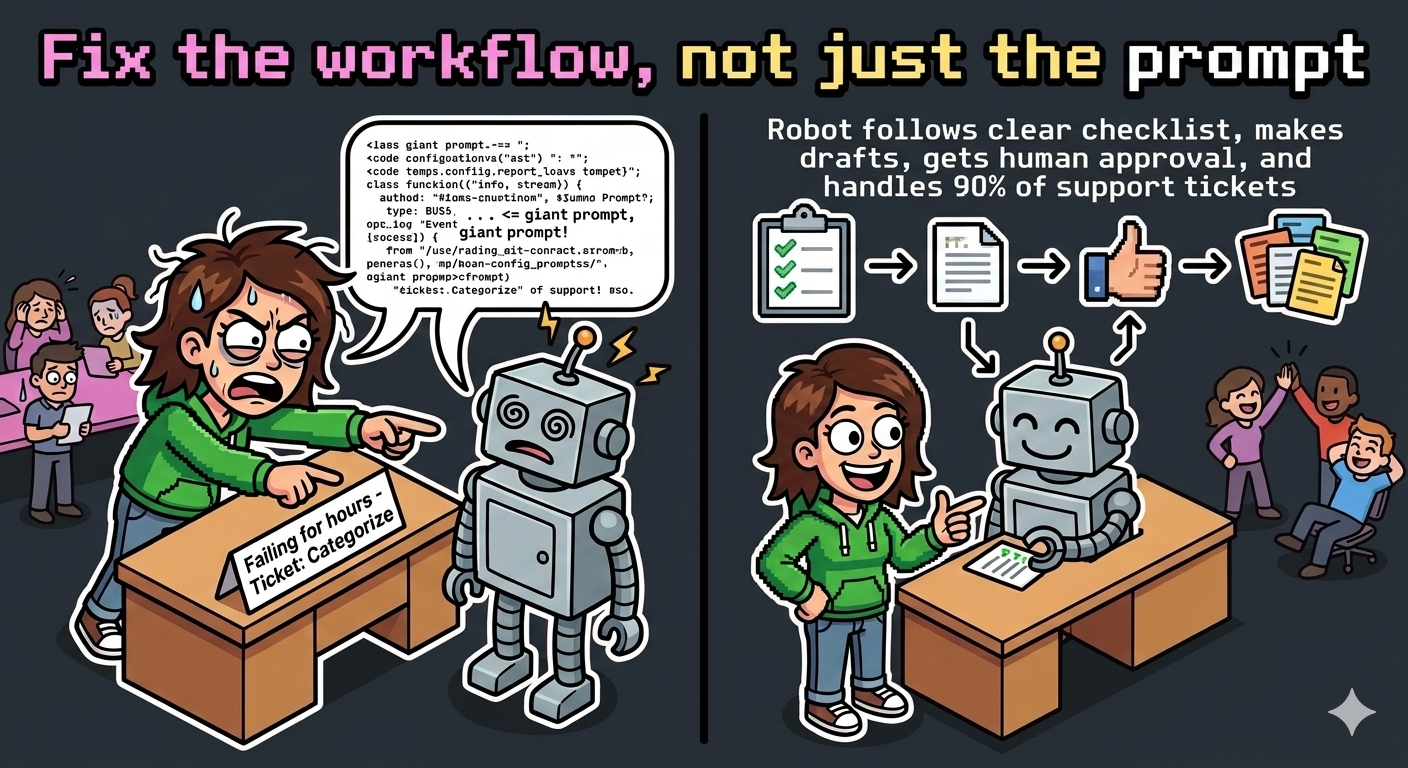
I was trying to solve a different problem — something about categorising support tickets — and I kept getting it wrong. The agent would miscategorise, I’d fix the prompt, it would miscategorise a different way, I’d fix it again. Round and round. Three hours later I’d built something that sort of worked and I hated looking at it.
Then I stopped trying to fix the agent and started fixing the workflow. Instead of asking the agent to categorise from scratch, I gave it a checklist. Instead of letting it auto-respond, I made it draft and wait for approval. Instead of one big prompt, I broke it into three small steps with a verification check between each one.
It worked on the first try. Within a week it was handling 90% of Tier 1 tickets without a human touching them. The support team went from drowning to breathing.
The lesson wasn’t about AI. It was about workflow design. Good automations have clear inputs, defined outputs, verification steps, and a human checkpoint in the right place. Bad automations throw a task at ChatGPT and hope.
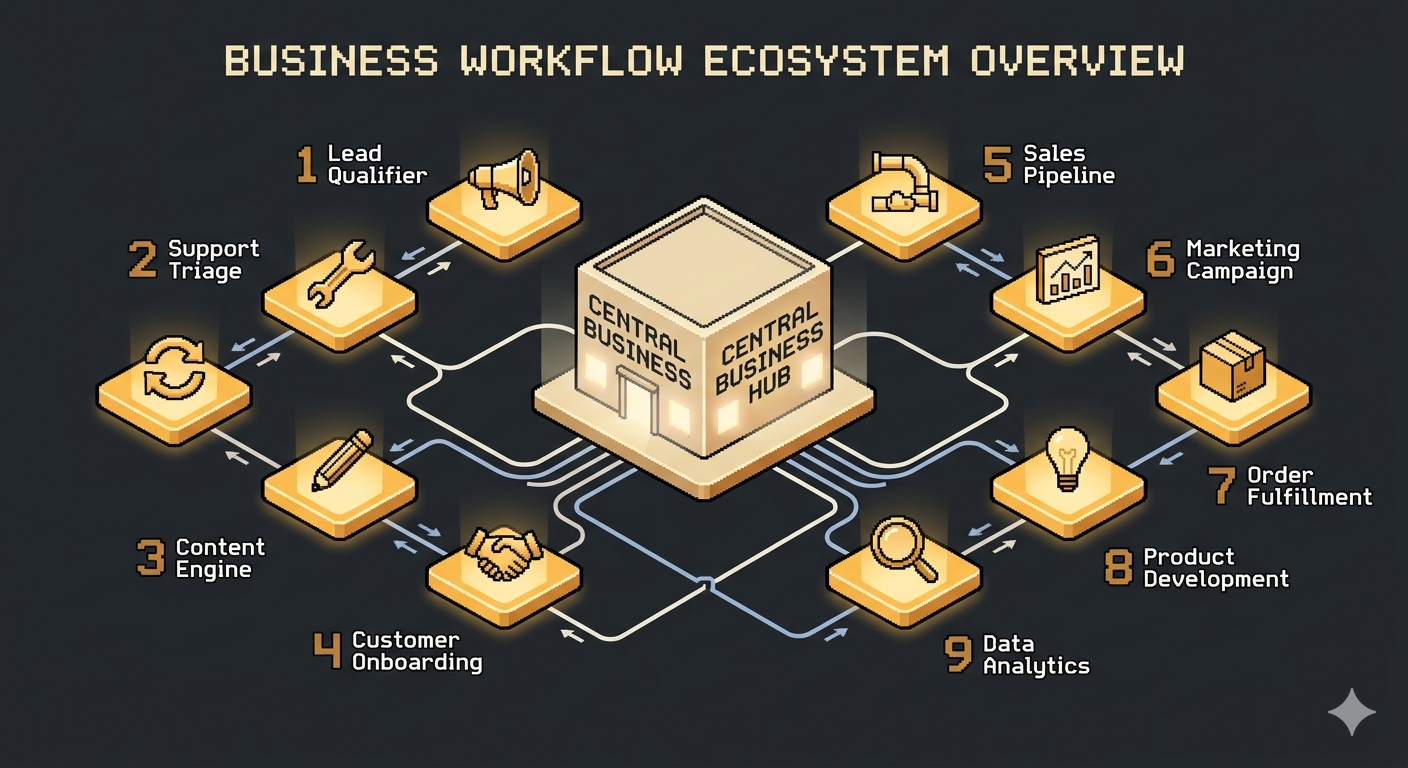
Here are 10 workflows that passed the test. Each one replaced at least 20 hours a month of human work. I’ve kept the descriptions generic so you can adapt them to whatever tools you use — n8n, Zapier, Make, custom — but specific enough that you can build them this week.
1. Inbound Lead Qualifier + Drafter
Replaces: Junior sales rep or VA filtering leads (20-30 hrs/week)
Here’s what it looks like in practice. A lead comes in through your contact form. The agent pulls their company name, checks the size, reads what they wrote, looks at their industry against your ideal customer profile, and scores them. Leads that pass get a personalised draft response with a relevant case study attached. Leads that don’t pass get a polite “here’s what we need to know before we can help” reply.
The agent never sends. That’s the key. It drafts. A human reviews and hits send. This eliminates the “agent said something weird to a hot lead” problem while still cutting response time from days to hours.
Ask yourself: how many leads did you lose last month because someone took three days to reply?
2. Customer Support Triage + Knowledge Base Agent
Replaces: Tier 1 support rep (30-40 hrs/week)
Every incoming ticket gets read. The agent categorises by product area, severity, and whether it’s a known issue. Tier 1 questions — “how do I reset my password,” “what’s your refund policy,” “why am I being charged twice” — get answered directly by searching your docs, past tickets, and product specs. Anything the agent isn’t confident about gets escalated to a human, with all the context already gathered.
Here’s where this usually fails: the knowledge base. If your docs are outdated or incomplete, the agent will confidently give wrong answers. The first month of running this isn’t about tuning the AI. It’s about fixing your docs based on what the agent gets wrong. Treat the agent as a documentation auditor that happens to also answer tickets.
3. Content Repurposing Engine
Replaces: Social media manager or content assistant (15-20 hrs/week)
You write one long-form piece — a blog post, a video transcript, a podcast episode. The agent generates variants for every platform you’re on. Twitter/X thread. LinkedIn post. Instagram carousel text. Email newsletter. YouTube description. Each one formatted for that platform’s specific conventions.
The thing that makes this actually sound like you: you give the agent 3-5 examples of your past posts that performed well. It pattern-matches your voice, your formatting, your rhythm. Without those examples, you get generic slop. With them, nobody can tell the difference.
A client of mine runs a consulting firm. His newsletter used to take him four hours to write. Now he records a 20-minute voice memo, the agent turns it into a full newsletter draft, he reviews it in 15 minutes, and it goes out. Four hours to 35 minutes. He’s been doing it for six months now and his open rates went up because the consistency improved.
4. Competitor Monitoring Briefing
Replaces: Market research analyst (20-25 hrs/week)
Every week, the agent checks your competitors’ websites, social accounts, job boards, and pricing pages. It produces a structured briefing: what changed, what they’re hiring for (hiring signals future product direction), any pricing moves, new features launched. Flags anything that requires action.
The work is tedious. Check 12 websites. Compare to last week. Note what’s different. Summarise. It’s the kind of work that’s perfect for an agent and miserable for a human. Your job becomes reviewing the briefing and deciding what matters, not spending 15 hours compiling it.
One note: don’t over-automate this. The weekly cadence is deliberate. Daily monitoring creates noise. Monthly is too slow to catch pricing changes. Weekly hits the sweet spot.
5. Invoice Processing + Bookkeeping Prep
Replaces: Bookkeeper or accounting assistant (15-20 hrs/week)
Invoices come in via email. The agent reads each one — PDF or attached image — and extracts vendor, amount, date, category, and payment terms. Matches against purchase orders if they exist. Prepares a batch for your bookkeeper or accounting software. Flags anything unusual: duplicate invoices, amount spikes, new vendors you haven’t approved.
The agent categorises and prepares. A human reviews the weekly batch and approves. You still want a person signing off on where money is going — but the data entry, the categorisation, the “is this a duplicate?” check are all handled.
I set this up for my own business six months ago. The bookkeeper went from 5 hours a month to 90 minutes. She charges the same retainer but now spends her time on the interesting stuff — tax planning, cash flow projections — instead of typing numbers from PDFs.
6. Meeting Prep + Follow-Up Agent
Replaces: Executive assistant (10-15 hrs/week)
Before a meeting: the agent pulls last meeting’s notes, relevant emails since then, open action items, and a brief on the other attendees. Walking into a call knowing what was discussed last time and what’s changed since — that’s what a great EA does. Most people show up cold. The agent eliminates that.
After the meeting: processes the transcript or recording into action items with owners, a summary, calendar blocks for follow-ups, and draft emails to attendees.
The magic isn’t the summary. It’s the pre-meeting context. You walk in prepared without spending 30 minutes digging through your inbox first.
7. Job Candidate Screener
Replaces: Recruiting coordinator (20-30 hrs/week)
Applications come in. The agent checks them against your job requirements — years of experience, specific skills, location, certifications. Scores on objective criteria only. Produces a shortlist with evidence for each candidate. Drafts personalised rejection notes for those who don’t meet minimums. Drafts initial outreach for those who do.
Important ethical line here: screen on measurable criteria only. Not “culture fit.” Not “seems like a good person.” Objective, defensible filters. The agent identifies who meets the bar. A human decides who to interview.
A friend who runs a 30-person agency set this up last quarter. His hiring manager went from screening 200 applications per role to reviewing a shortlist of 12-15. The quality of hires didn’t change. The time to hire dropped by two weeks.
8. Social Listening + Trend Alerts
Replaces: Community manager or brand analyst (10-15 hrs/week)
The agent watches specific keywords, competitors, and industry terms across social platforms. When conversations spike or sentiment shifts, you get an alert with context. Weekly digest of what your audience is actually talking about.
Better than Google Alerts because it doesn’t just say “someone mentioned your brand.” It tells you what they said, whether it was positive or negative, and whether the volume is unusual. Context beats mentions every time.
Set this up and leave it running for a month before you look at it too closely. The patterns that matter take time to emerge. Week one will feel random. By week four, you’ll see things you’d never have caught otherwise.
9. Client Onboarding Concierge
Replaces: Onboarding specialist (15-25 hrs/week per client)
New client signs. The agent kicks off a welcome email with next steps, a checklist of what they need to provide, and scheduled check-ins at days 1, 7, and 30. Answers common setup questions from your knowledge base. Flags clients who aren’t engaging — haven’t opened emails, haven’t completed steps — for human follow-up.
Most churn happens in the first 90 days. Not because the product is bad. Because the client felt lost. Nobody told them what to do next. Nobody checked in. The agent can’t replace the relationship, but it can eliminate the “I didn’t know how to do X” frustration that drives people away.
The onboarding sequence should feel personal even though it’s automated. Use the client’s name. Reference their specific use case from the sales call. The agent can pull that from your CRM and weave it in.
10. Weekly Business Intelligence Briefing
Replaces: Data analyst or business operations (10-20 hrs/week)
Every Monday morning: the agent pulls data from your key systems — analytics, CRM, billing, support — and produces a briefing. What changed week over week. Which metrics are trending up or down. Any anomalies. One recommended action.
The output isn’t a dashboard. It’s a Slack message or email with conclusions already drawn. Dashboards require someone to look at them. Briefings arrive in your inbox with the thinking done.
The format matters. Keep it short. Five metrics max. One insight each. If something’s unusual, say it. If everything’s normal, say that too — “no anomalies this week” is a valid insight. The goal is to read it in under two minutes and know whether you need to dig deeper or get on with your day.
What Nobody Tells You About AI Automation
The first month is training, not automation. Expect to spend the first few weeks refining prompts, adding edge cases, and improving the knowledge base. Don’t sell the workflow until it’s been running in your own business for a month. You’ll find the failure modes. Better to find them yourself than have a client find them.
Start with the output, not the AI. Design the briefing or the draft email first. What does “good” look like? Work backwards from there. Starting with “what can AI do?” produces solutions in search of problems. Starting with “what does the finished thing look like?” produces solutions people actually want.
The human checkpoint is the product. Every workflow above has a place where a human reviews before action is taken. That’s on purpose. Remove that, and you’re betting your reputation on an agent that hallucinates. Keep it, and you get 90% of the time savings with 100% of the quality control.
Templates beat custom builds economically. A client will pay you $2,000 to build them a custom automation. Or they’ll pay $200 for a template that does 80% of what the custom build would do. Sell the template to 50 people and you’ve made $10,000 without the support burden. The economics are better and the product is more scalable.
Pick one workflow from this list. Not the most impressive one. The one that would save you the most hours this week. Build it for yourself first. Use it for a month. Then package it.
Which one are you building first?